006 — In the shop
The shop floor, captured.
Live screens from the system in production. Customer data anonymized; everything else is what’s on the technician’s screen right now.
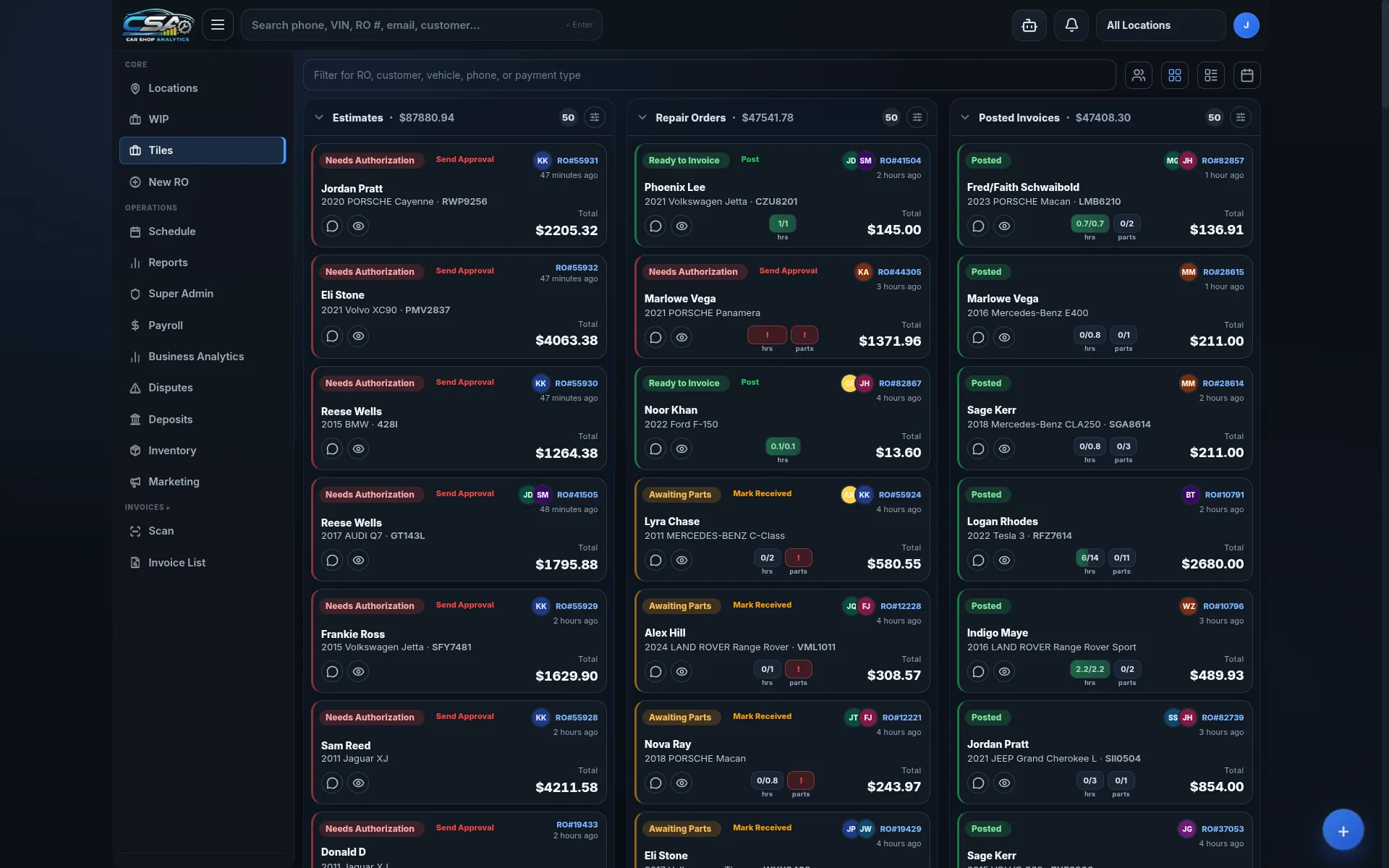
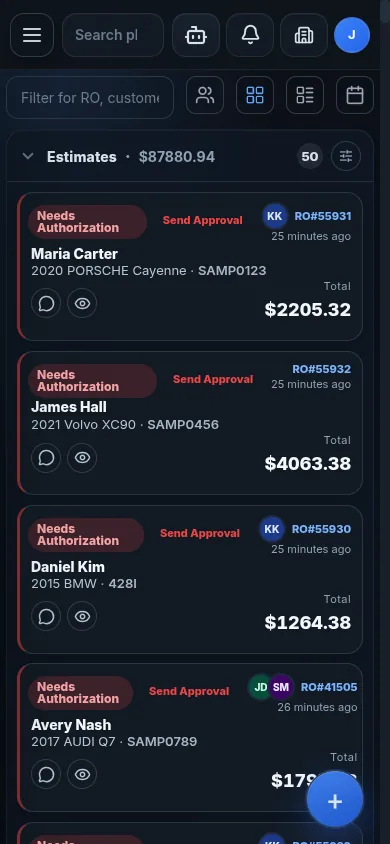
Workflow board — live tile view
- Three columns, one shop. Estimates, Repair Orders, Posted Invoices — the day in one view.
- Status that means status. Pending Auth, Awaiting Parts, Order Parts, Posted. Each tile carries the next action.
- Live counts. Per-lane totals update as the day moves.
- Search anything. Phone, VIN, RO number, customer, payment type — one box.
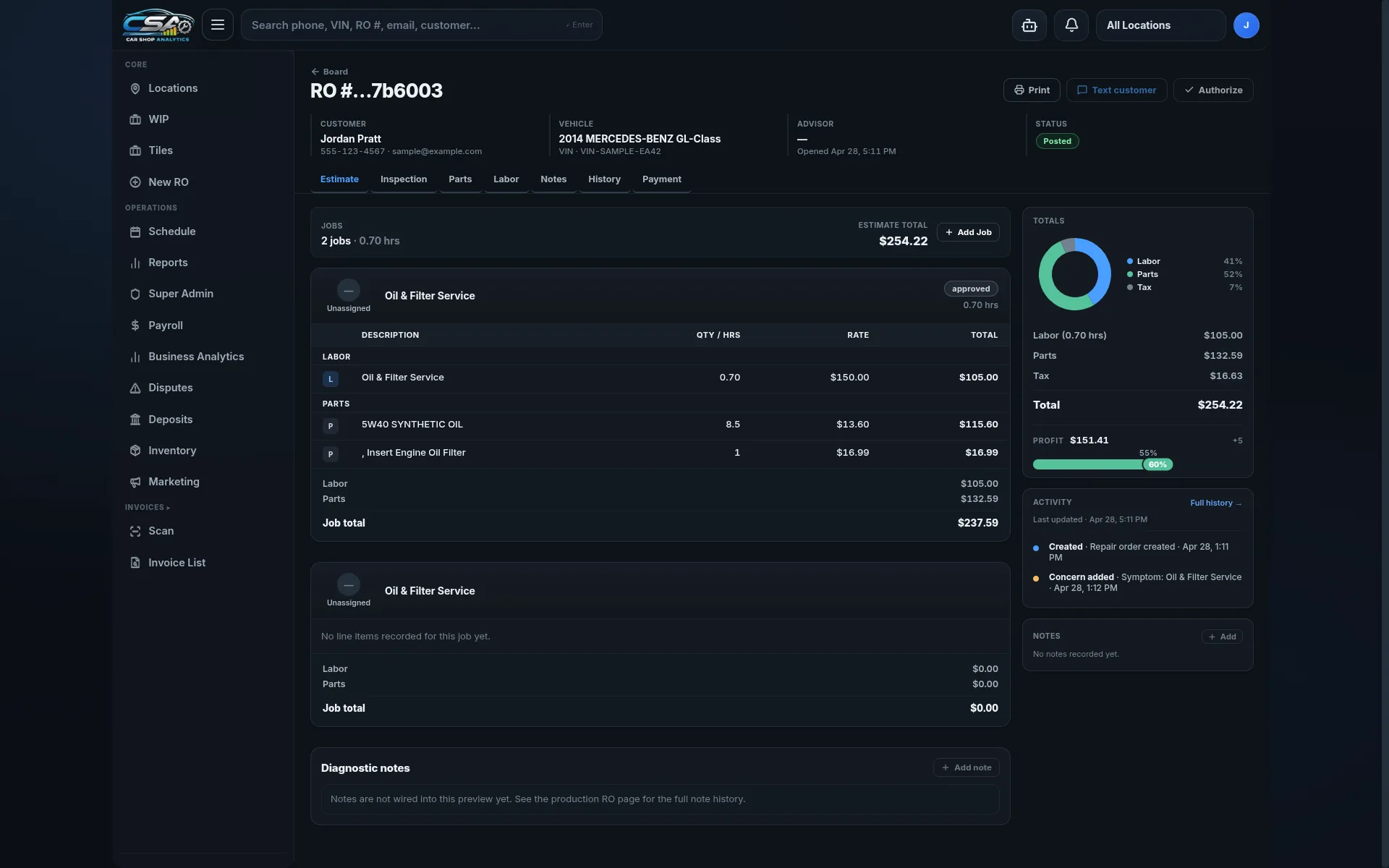
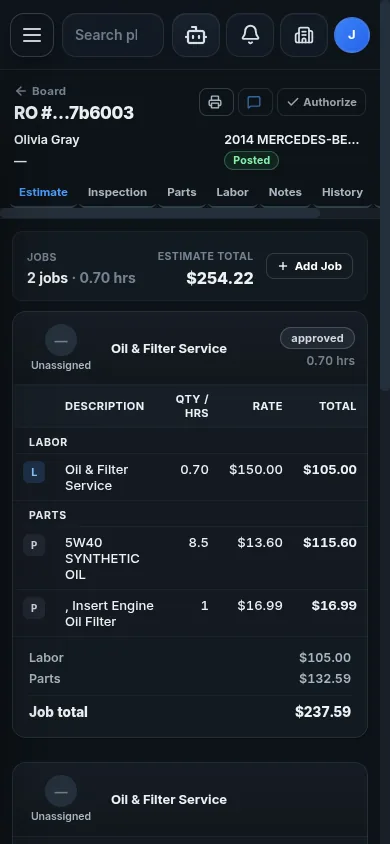
Repair order — one surface, every workflow
- Customer + vehicle on the masthead. Phone, email, VIN, advisor, status — always a glance away.
- Seven tabs, one URL. Estimate, Inspection, Parts, Labor, Notes, History, Payment.
- Labor and parts ledger. Each job rolls up its own subtotal next to the line items.
- Activity feed. Every change is logged; the trail is the audit.
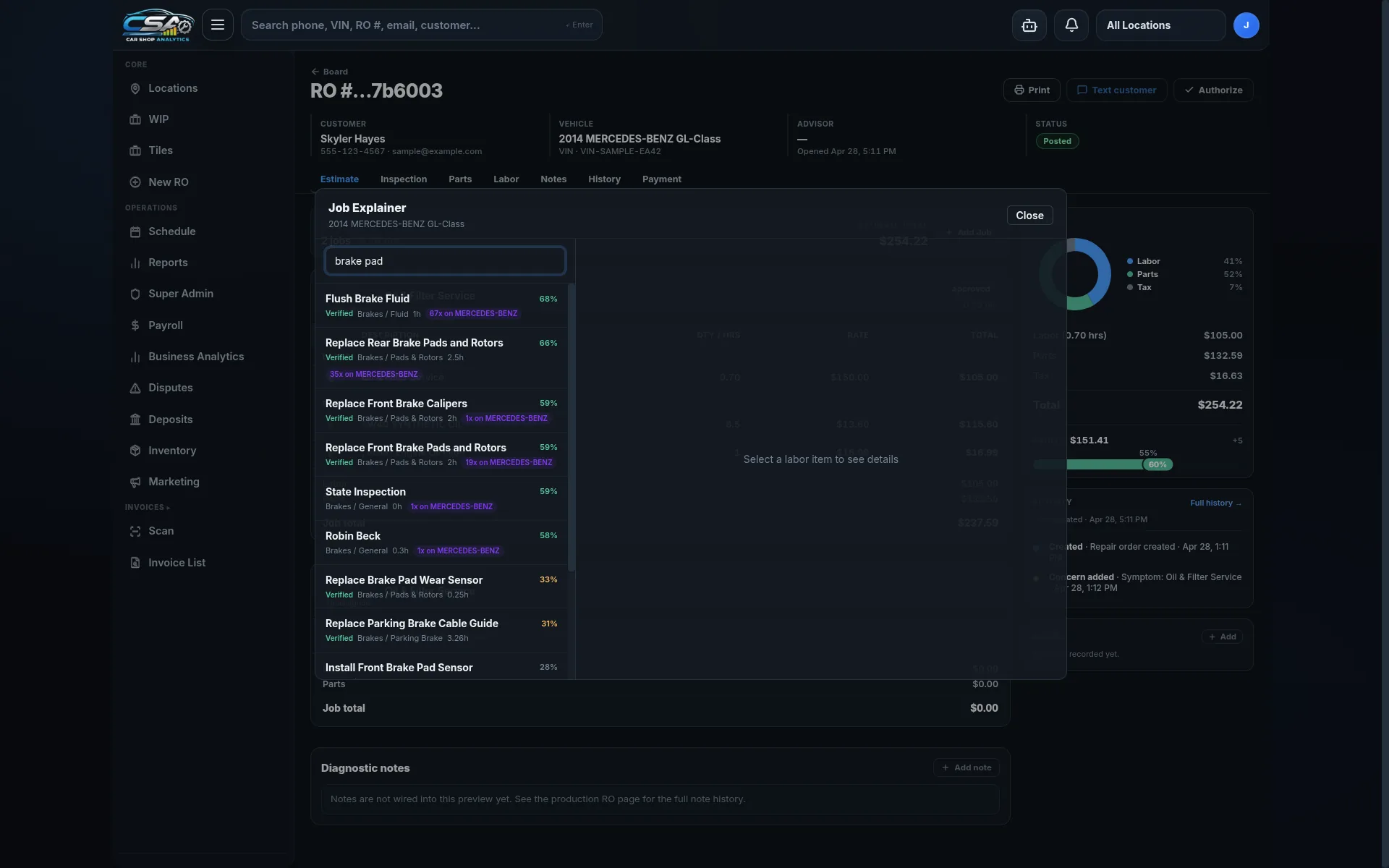
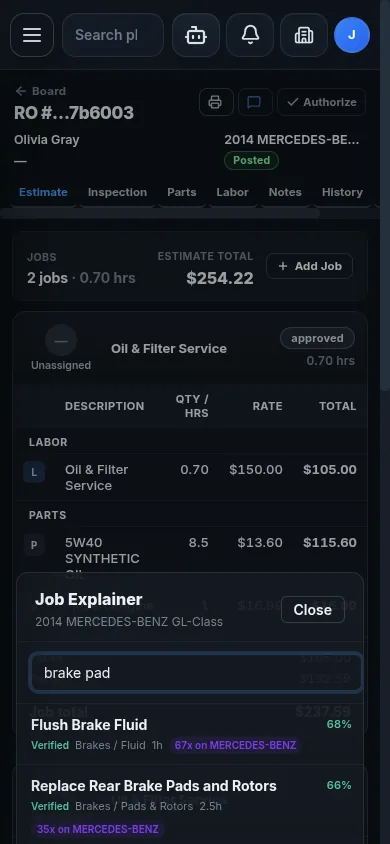
The work, the manual, and the catalog — paired in one panel
- Confidence, not guesswork. Fit-to-vehicle percentage comes from the shop’s own RO history; Verified means a shop in your network has done this exact job on this exact make.
- Factory number, shop number. Published time alongside your shop’s actuals. Two sources, one row.
- Times Used: 17,768. Posted across the network’s ROs — what’s normal for this job, on this make, at this kind of shop.
- Often done with. Co-occurrence percentages from real ROs — pair-this-with-that, derived from work shops actually do.
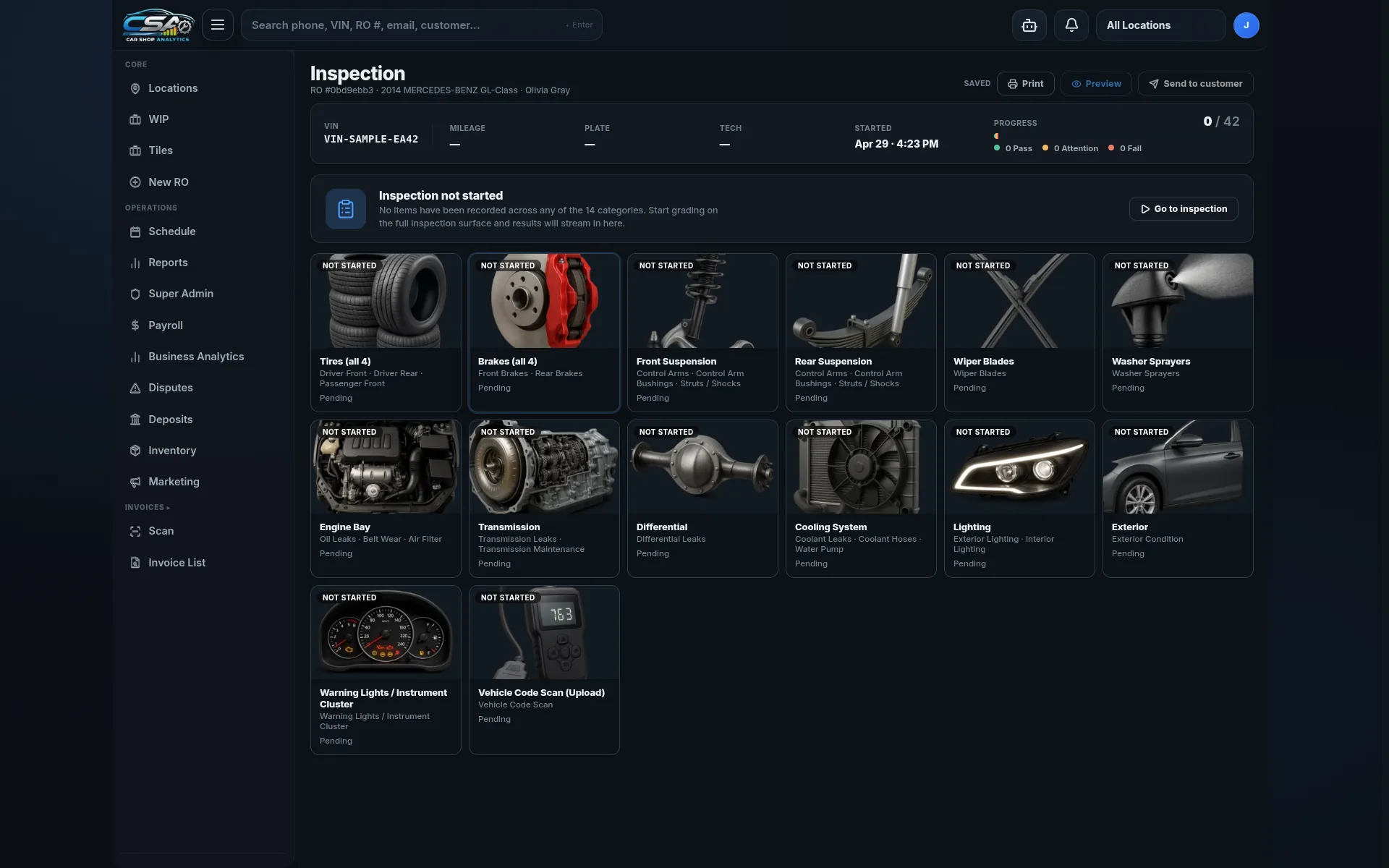
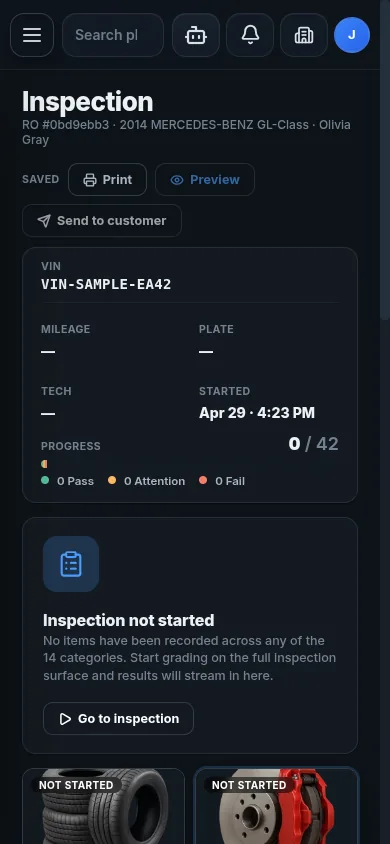
Inspection — system by system, in the bay
- Fourteen systems, one grid. Tires, brakes, suspension, engine bay, transmission, differential, cooling, lighting, exterior, code scan.
- Pass / Attention / Fail. Three states, color-coded; counts roll up to the RO.
- Progress meter. 0/42 across categories — the tech sees what’s left without leaving the screen.
- Findings attach to the RO. Photos and notes flow back to the job, not into a folder.
— on a phone, in the bay —